
Keep contacts, property interests, emails, appointments, tasks and automations connected with LoyalCRM Real Estate Edition.
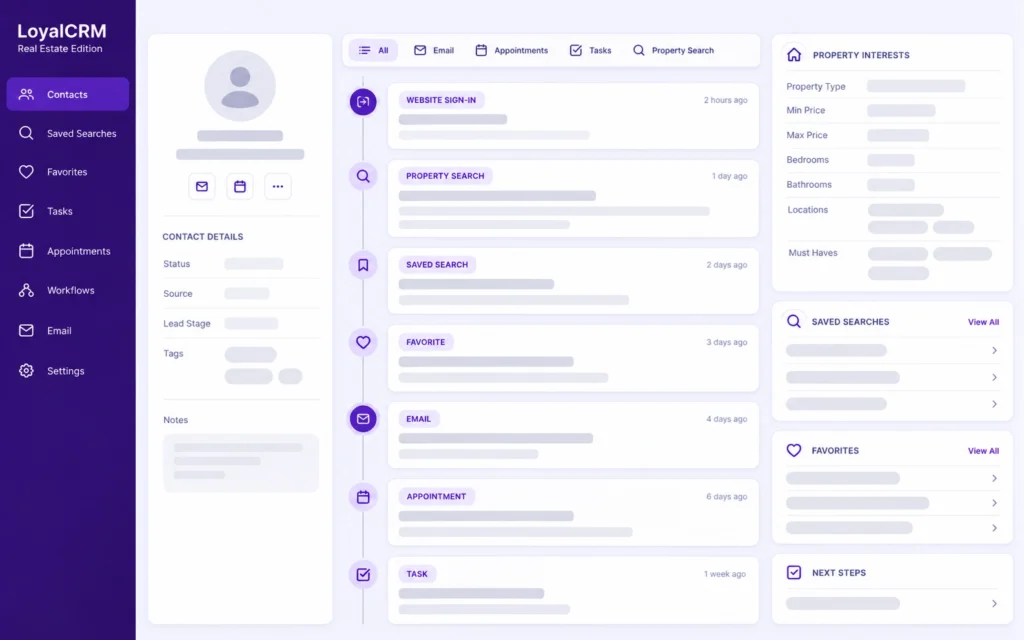
One contact view . activity, property interest and next steps
Marketing recreation
Leads can arrive from forms, registrations, email and appointments. Without one organized follow-up process, useful context gets scattered and opportunities are easier to miss.
Bring supported website and communication activity into LoyalCRM.
Review searches, favorites, forms, messages, appointments and tasks in context.
Assign follow-up and use workflows to keep agreed actions moving.
LoyalCRM Real Estate Edition gives agents and teams a practical workspace for everyday lead management without requiring customers to understand the technical architecture behind it.
Each contact can hold the details and activity your team needs to understand the relationship and decide what to do next.
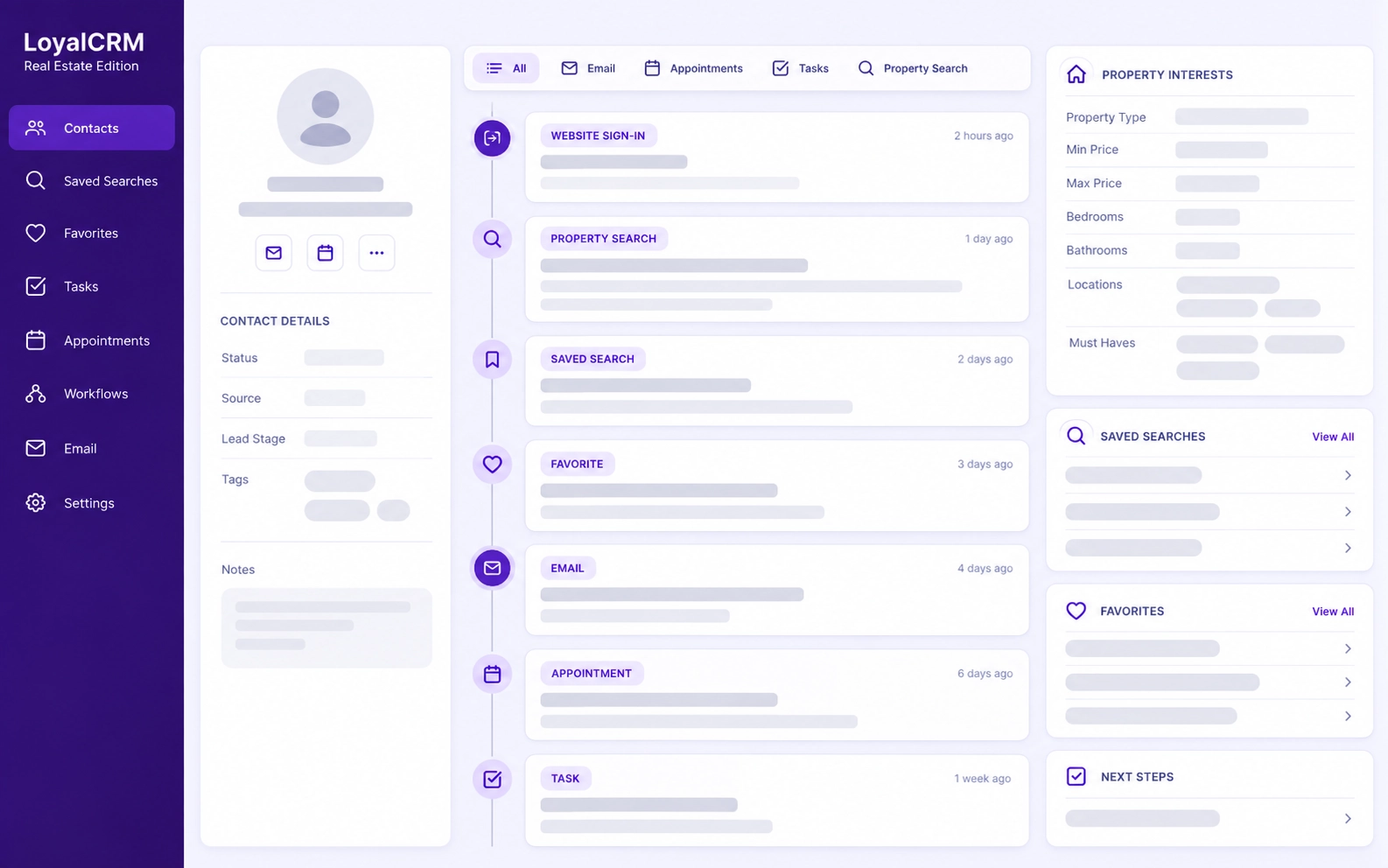
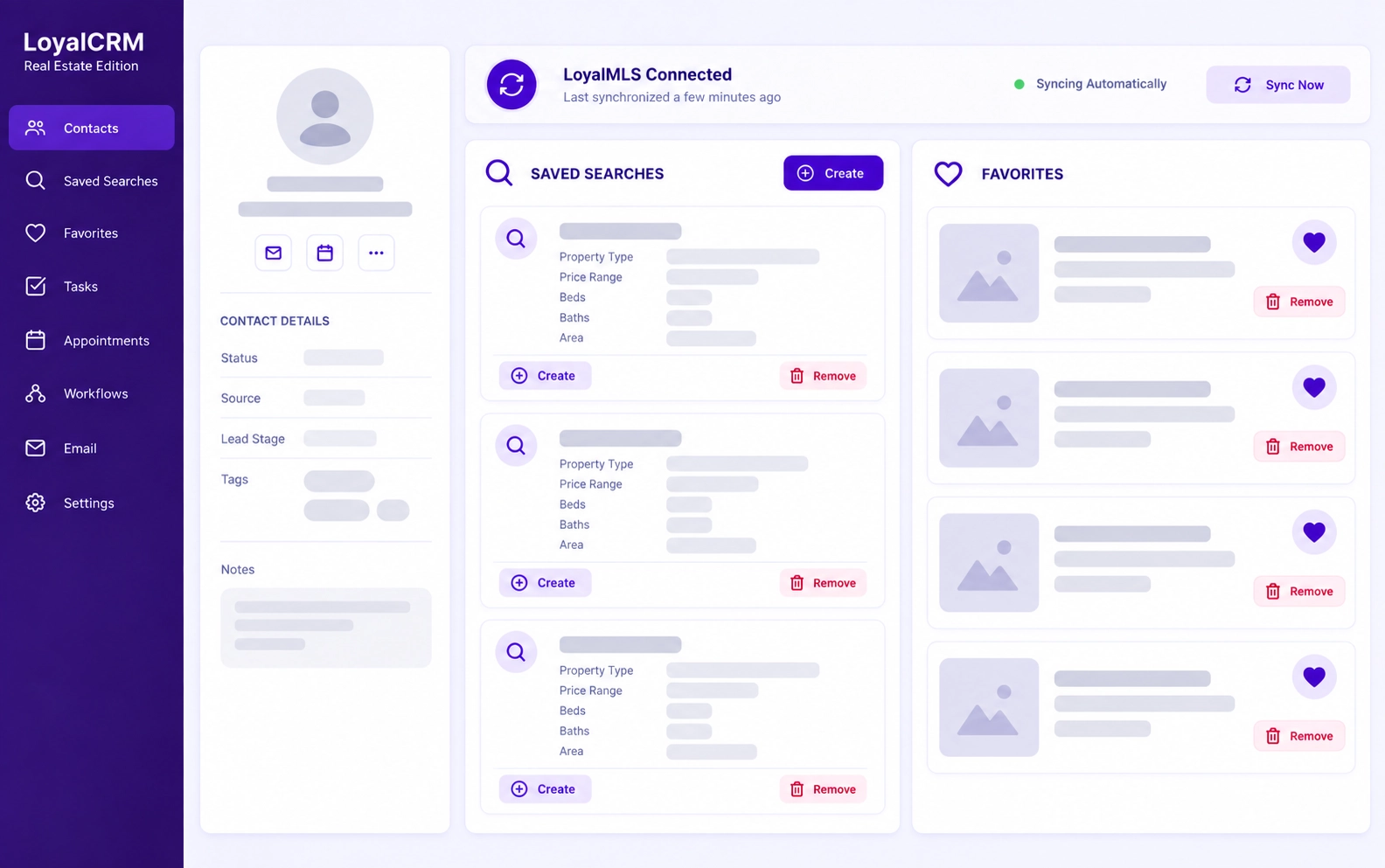
When LoyalCRM is connected with LoyalMLS, your team can see property-search activity, saved searches and favorite listings, then manage supported property interests from the contact record.
Current saved-search behavior: to change an existing saved search, remove it and create a new one with the updated criteria.
Workflows can begin when supported CRM records are created, updated or deleted, then follow the logic and actions configured for your operation.
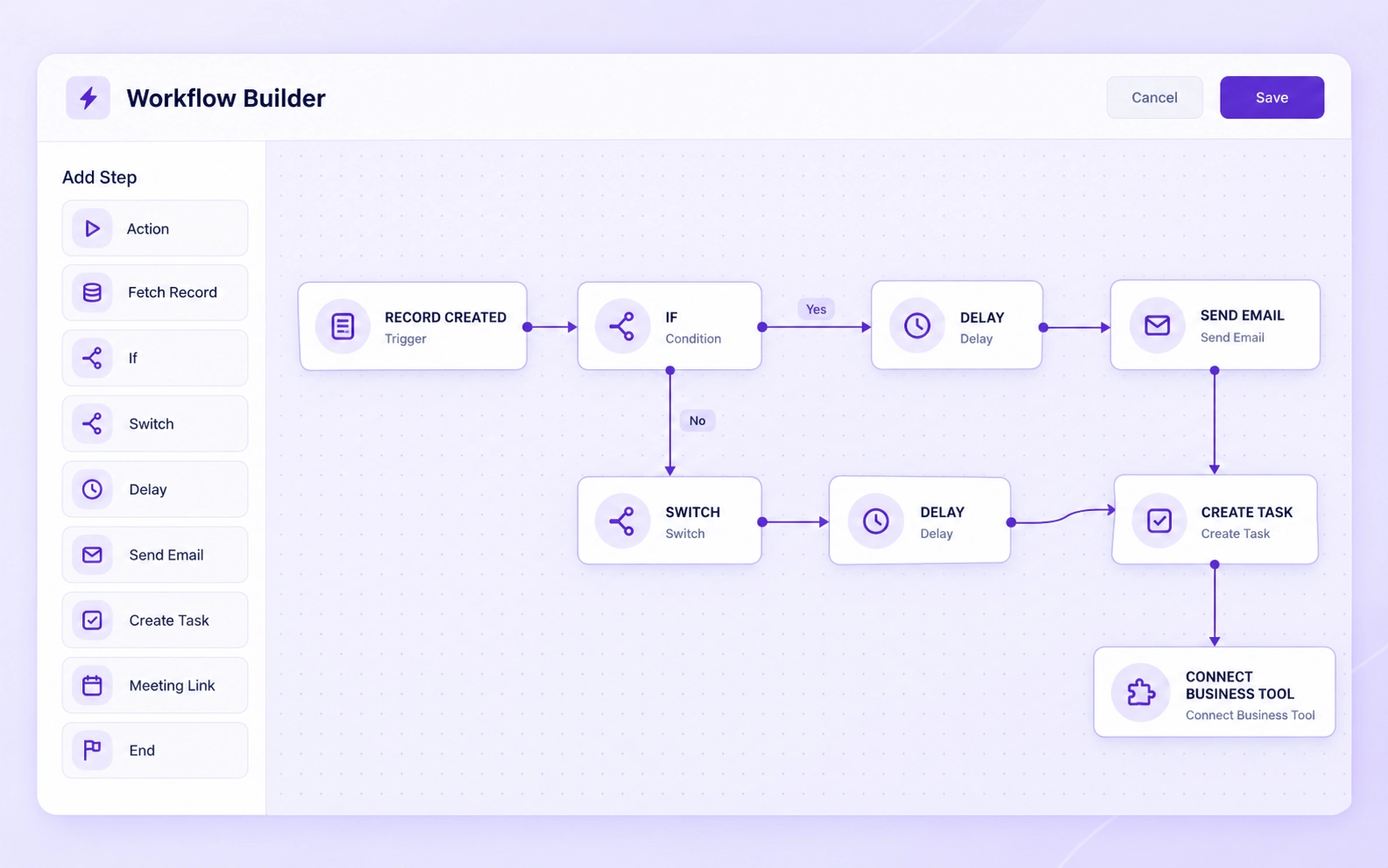
Create tasks manually or through workflows, assign them to CRM users and connect them to the contact or earlier task that provides context.
Connect each task to the right team member.
Use status, due dates and priority to organize work.
Use workflows for reminders and repeated task creation when configured.
LoyalCRM brings supported communication and follow-up records into the contact’s activity history without claiming unfinished phone or messaging functionality.
Connect Gmail to send and receive email through LoyalCRM. Related messages appear in the Emails section and contact activity.
An email from an unknown sender can create a contact automatically for continued follow-up.
Manually record call date, duration, outcome and notes in the contact history.
No built-in calling or VoIP claim.
Website bookings can create or update contacts and appear in the related activity history.
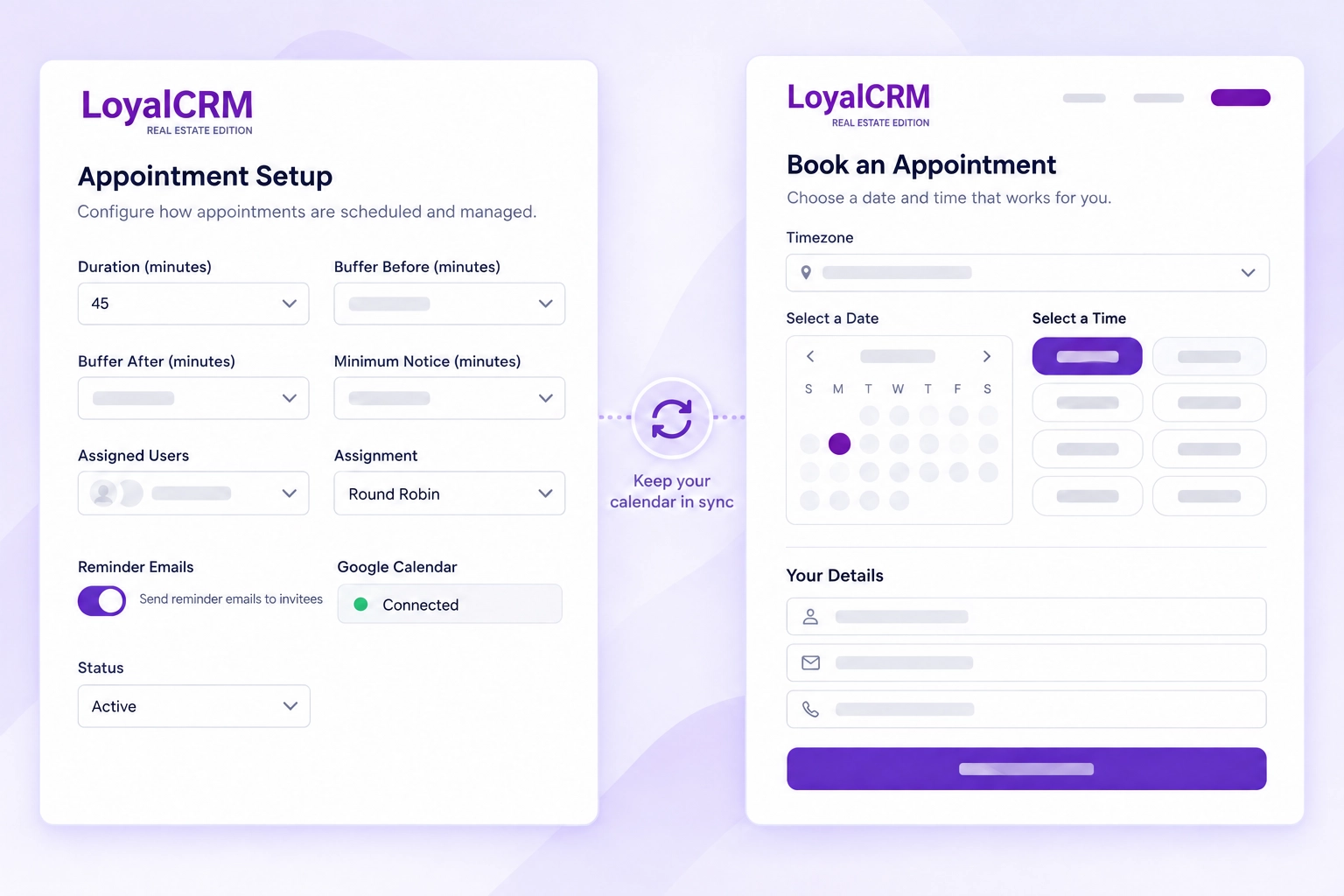
Administrators define appointment types in LoyalCRM. The WordPress connection displays available booking times on the website and adds confirmed appointments to the connected Google Calendar.
Set duration, availability, buffers, notice, assignment and reminders.
Use the LoyalCRM WordPress shortcode on an approved page.
Create or update the contact, record the activity and add the booking to Google Calendar.
Capture contacts from supported form connections.
Create or update contacts from supported website registrations.
Create a contact when a connected mailbox receives a message from an unknown sender.
Connect website bookings with contact records and activity.
Supported website forms, registrations, email and appointment booking can feed LoyalCRM so the next action does not depend on copying information between disconnected tools.
Configuration matters: automatic lead type and source depend on the parameters supplied by the connected form, registration or integration. CRM users can also set them manually.
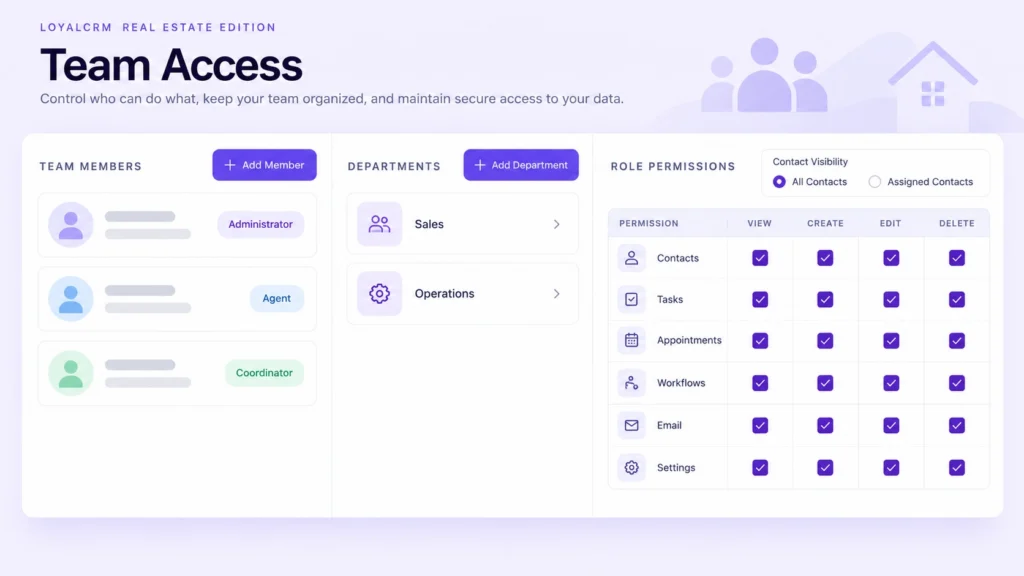
Add CRM users, organize departments and define roles around the responsibilities of your team.
Control which CRM areas each role can access.
Control view, create, edit and delete permissions.
Allow access to all contacts or only assigned contacts.
Control settings, workflows and user management.
Your CRM setup depends on your plan, team structure, website, LoyalMLS connection and agreed workflow scope.
We learn how contacts arrive, how your team works and which follow-up needs to be organized.
We confirm the website connection, fields, access, appointment and workflow requirements.
We prepare the approved CRM environment and connect the agreed website and Google features.
We test the agreed workflows and show your team how to use the delivered configuration.
LoyalCRM Real Estate Edition can also be configured independently, but the LoyalMLS connection adds property-search activity, saved searches and favorites. Review current plan details before choosing your setup.
We confirm the final setup and integrations for each customer before implementation.
This page covers LoyalCRM Real Estate Edition, which is configured around real estate contact management, website activity and follow-up.
No. LoyalCRM can be used for contacts, email, tasks, appointments and workflows without LoyalMLS. Connecting LoyalMLS adds property-search activity, saved searches, favorite listings and CRM controls for supported property interests.
Yes. Eligible plans include CRM users, with role and contact-visibility controls. The current plan allowance is shown on the Pricing page.
It can capture contacts through supported forms, registrations, email and appointment booking. We review the website and required field mapping before confirming the setup.
With LoyalMLS connected, CRM users can create or remove saved searches. To change existing criteria, remove the saved search and create a new one.
Yes. We review your requirements and configure the approved fields, access, website connection and workflows within the agreed implementation scope.
Request a demonstration of LoyalCRM Real Estate Edition and its connection with LoyalMLS. We’ll review your team, website and workflow requirements before recommending the right setup.